
STEP 1. Automatic journal entries
Tradex automatically detects your positions and creates a journal entry the moment you enter one.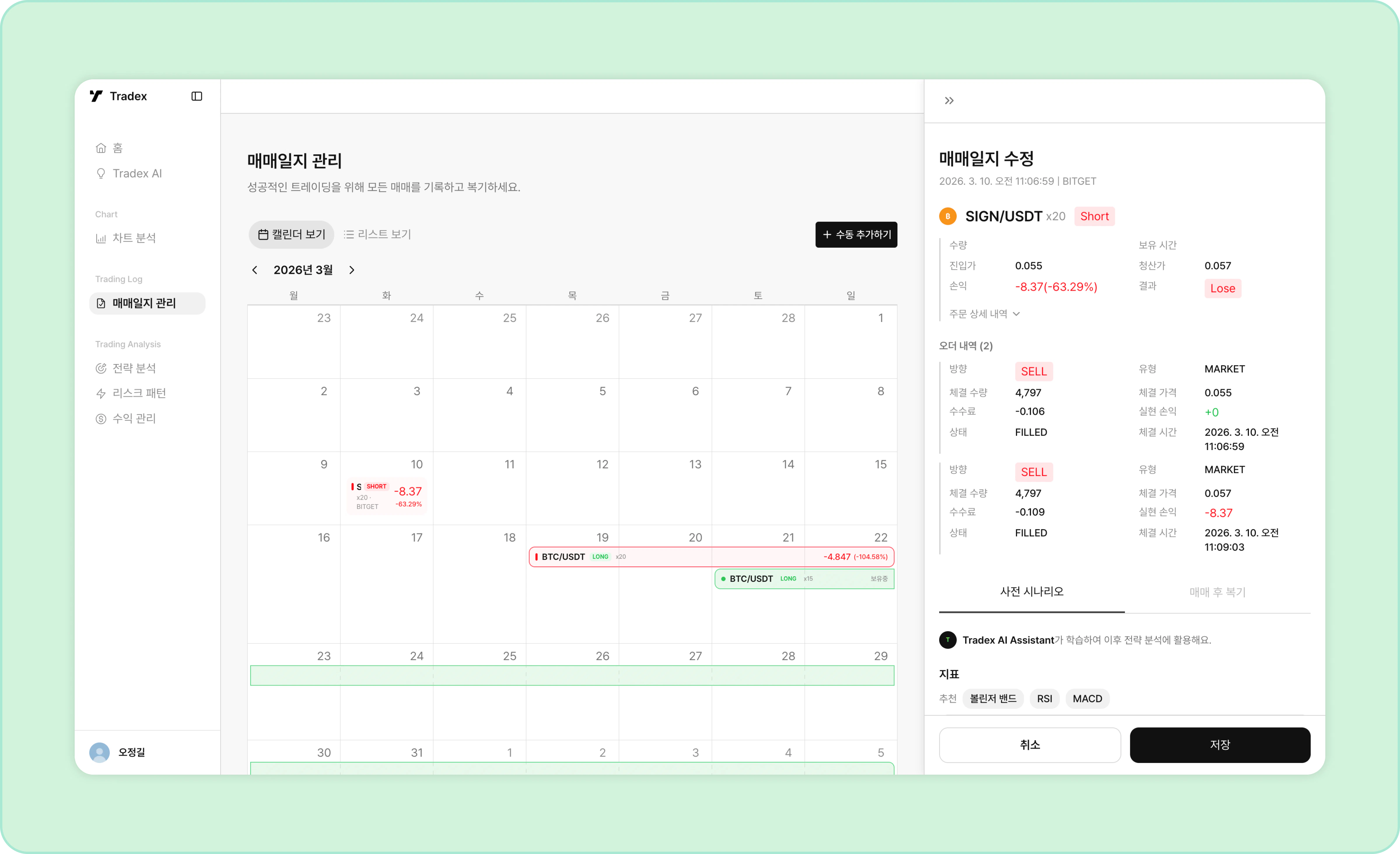
- Automatic journal: An entry is created on the position’s entry date, recording the position and order details.
- Calendar / list view: Browse your journal in whichever format you prefer.
- Manual entries: If there’s a trade you want to record separately, you can add it manually.
Realized PnL, fees, quantities, and other figures may differ slightly depending on the exchange environment and exchange rates.
STEP 2. Write a pre-trade scenario
Right after entering a new position, write out your pre-trade scenario.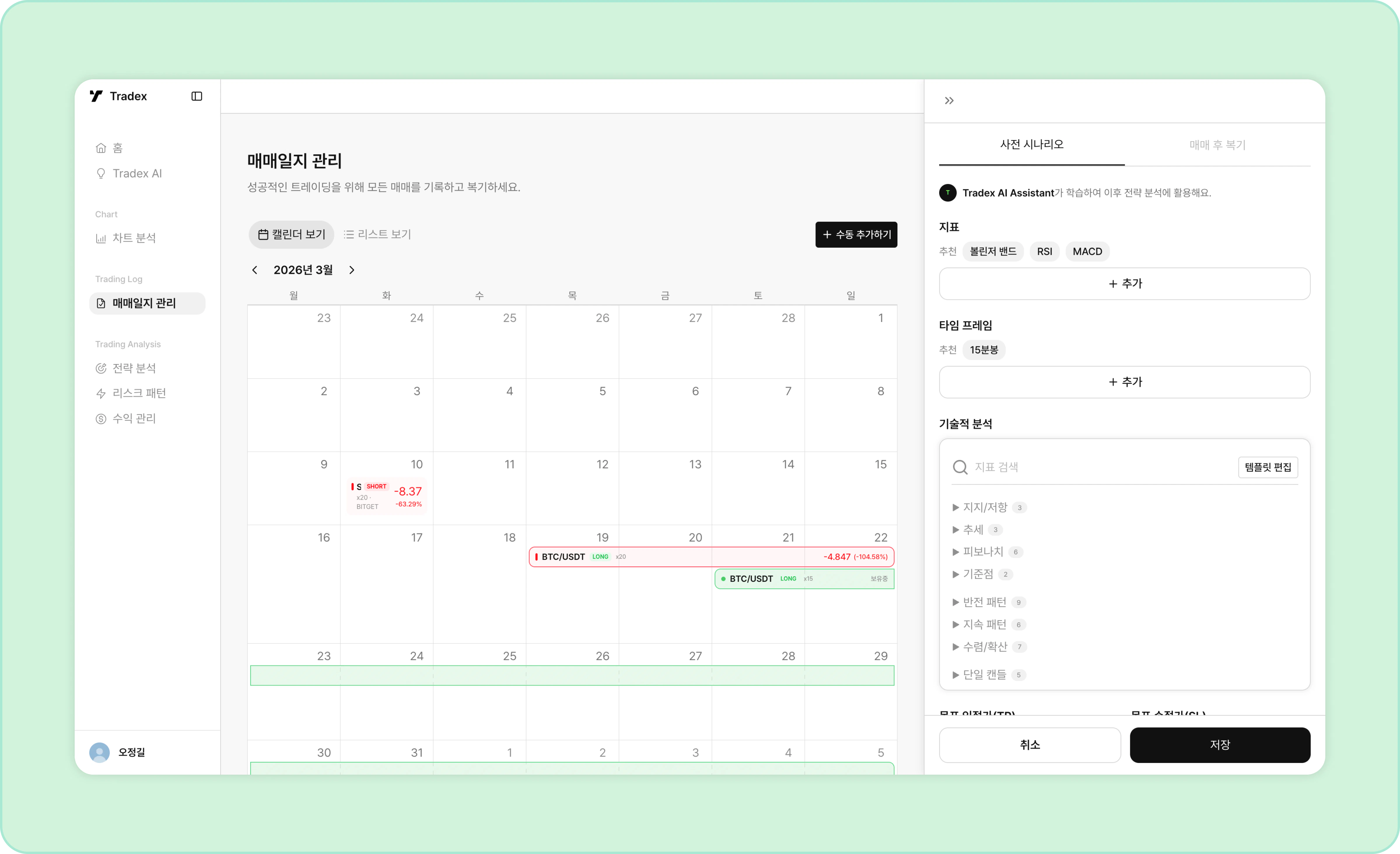
- Indicators: Select the indicators you used as the basis for this entry.
- Timeframe: Select the timeframe you used for your chart analysis.
- Technical analysis: Select the technical analysis setups you used as the basis for this entry.
- TP/SL: Set the take-profit and stop-loss prices for this position.
- Entry rationale: Freely describe why you entered this position.
- Target scenario: Freely describe your target scenario and management plan for this position.
- Fill in every field and save to complete the pre-trade scenario.
STEP 3. Edit templates
If the options don’t include the setups you actually used for the entry, you can edit the template.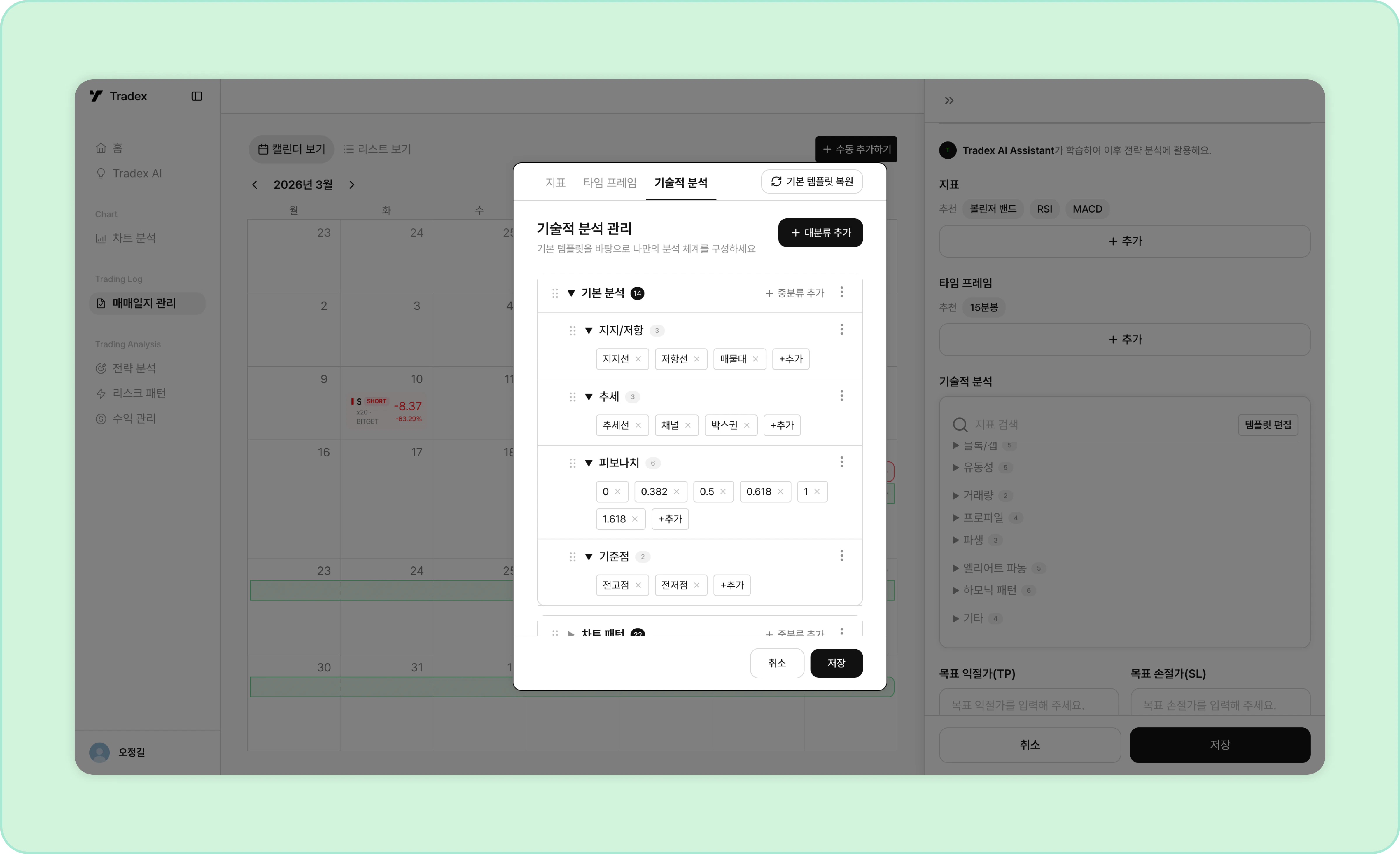
- Click “Edit template” inside the pre-trade scenario to edit the detailed items of each strategy template.
- Items are organized into categories and subcategories, and every item can be edited, deleted, or added.
- Click and drag the icon on the left to reorder items.
- Save your changes to finish editing the template.
STEP 4. Write a post-trade review
Right after closing a position, write your post-trade review.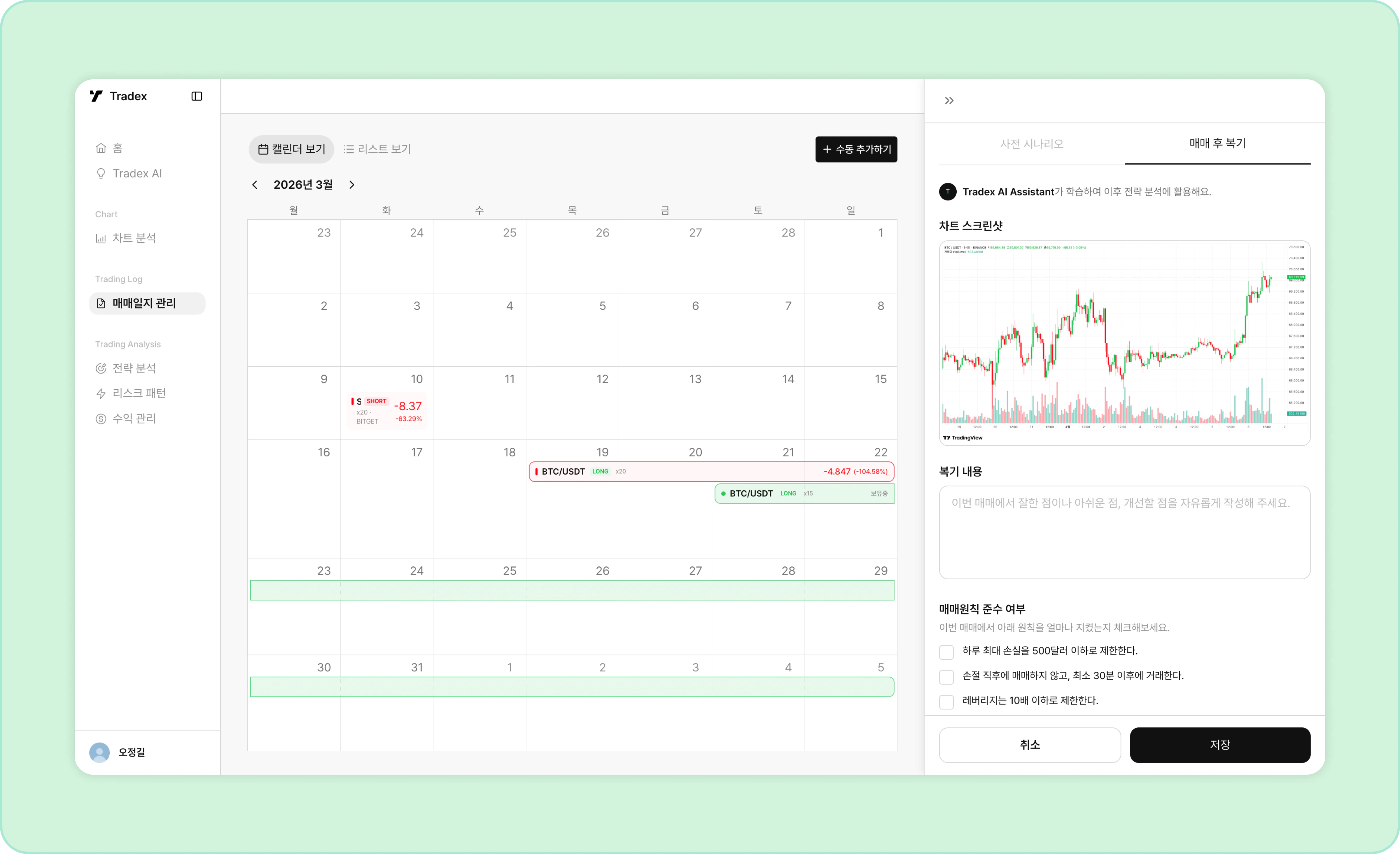
- Chart screenshot: Upload a chart image from the time you entered the position.
- Review: Freely note what went well, what you regret, and what to improve in this trade.
- Principle compliance: Check only the trading principles that applied to — and were followed in — this trade.
- Fill in every field and save to complete the review.
Your journal entries feed AI analysis and learning to provide a personalized experience.