
Tradex AI Agent
Ask the Tradex AI agent anything and get information and insights directly.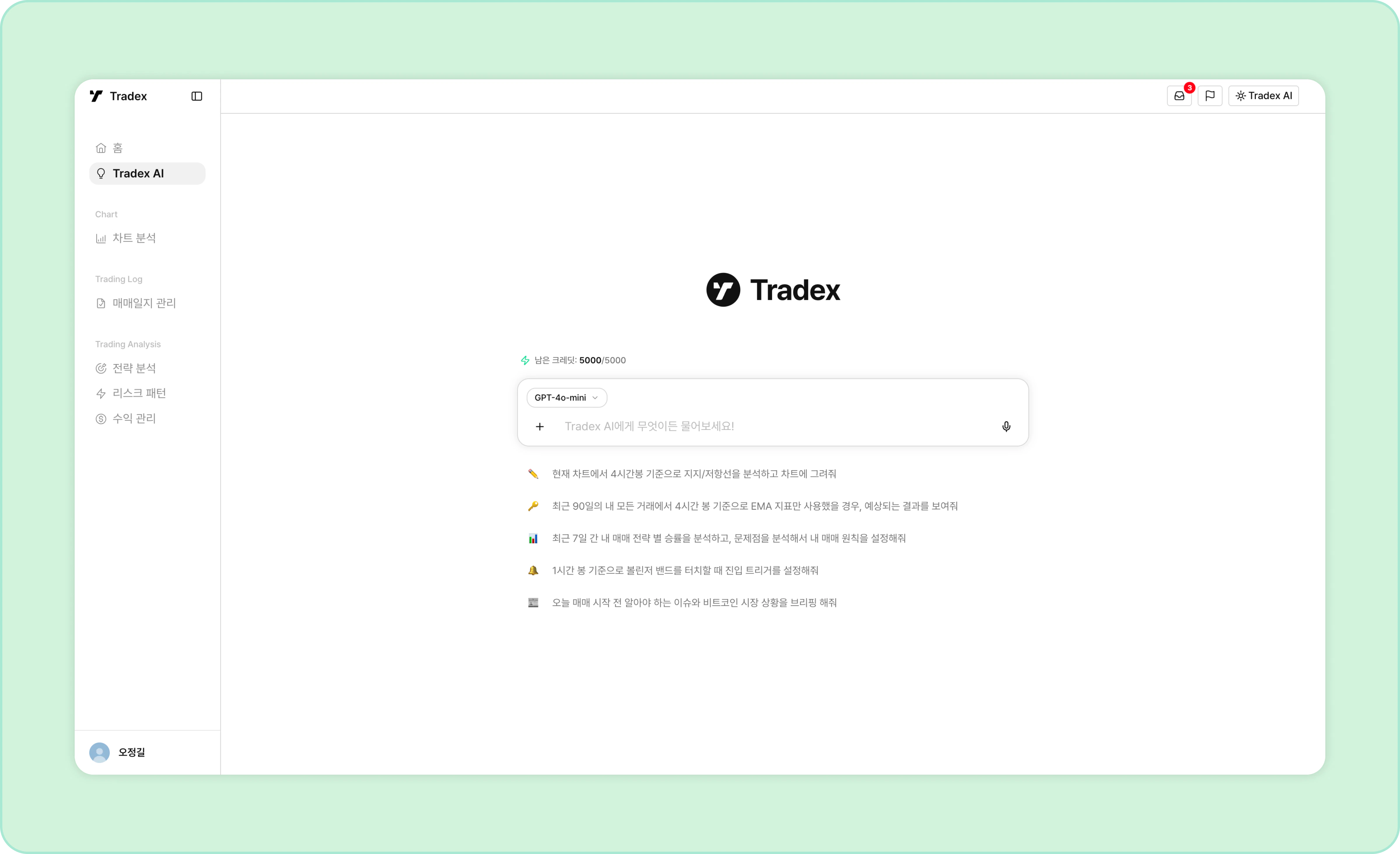
- Choose your AI model: Pick between GPT, Gemini, and Claude models.
- Ask questions: Try questions like “What pattern did my losses cluster around last month?” or “What should I improve in this week’s trades?”
- Live market briefings: Get economic news, current market trends, and more.
- Technical analysis: A trading-specific reinforcement-learning model assists with chart-based technical analysis.
- Learns from your trades: Learns from your trading data to deliver strategy analysis and insights tailored to you.
- File upload & analysis: Upload chart screenshots or other materials to include them in the analysis.
Opening the Side Panel
You can summon the AI agent from any screen in Tradex.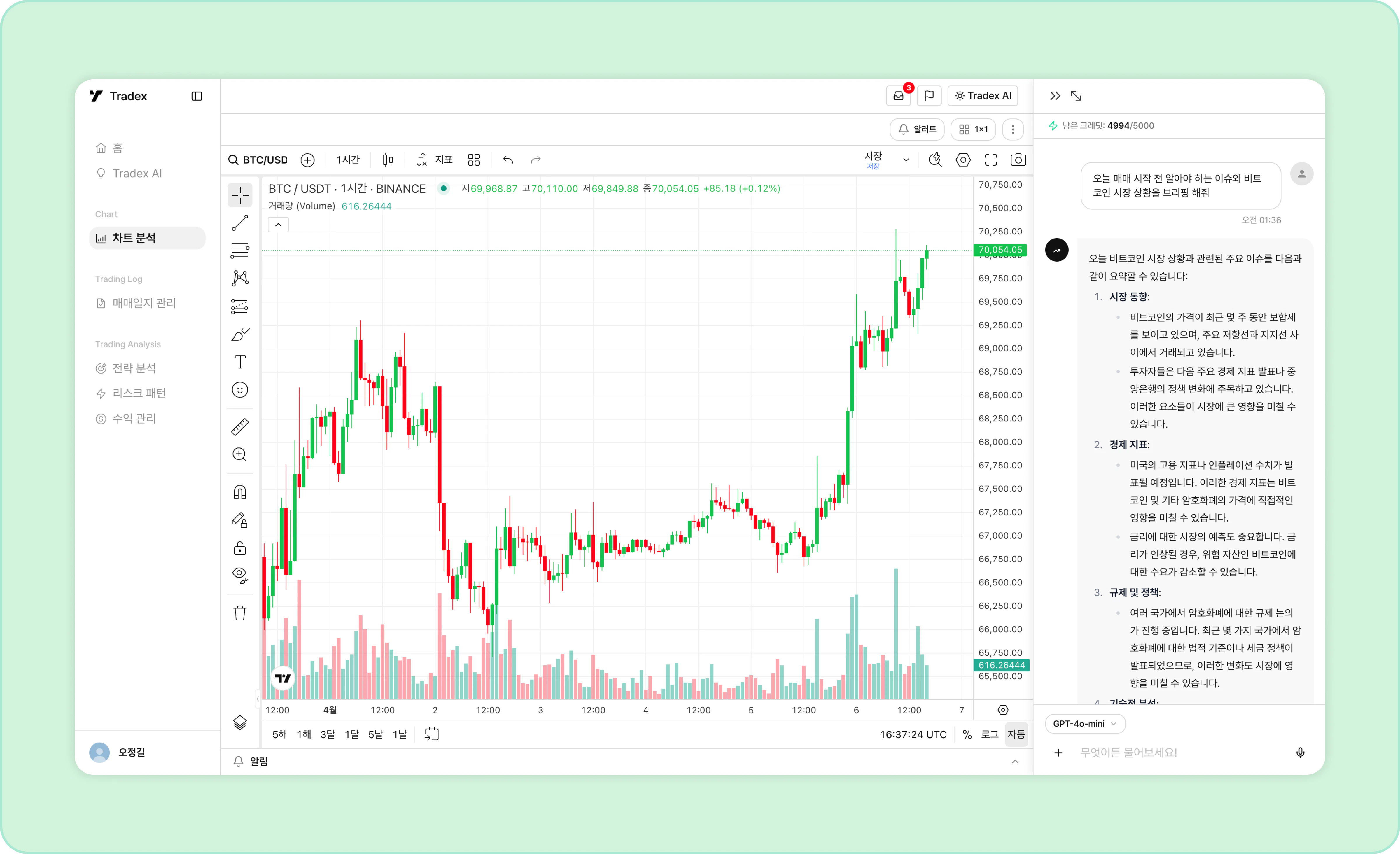
- While using the service, click the button at the top right at any time to open the AI agent.
- If you open the AI agent from a chart screen, the AI answers based on that chart.
AI Insight Reports
This feature will be available in an upcoming update.
- Trading strategy & risk analysis: The AI analyzes your strategies and patterns from your trade data and suggests improvements.
- Journal summaries: Organizes and analyzes your journal entries to surface insights.
- Simulation: Test your trading strategies under a variety of conditions.
Credits
Credits are the currency consumed when you use Tradex AI features.Using a smarter AI model or requesting a lot of work at once may consume a few more credits.
- Credits are consumed each time you chat with the AI agent, deducted in proportion to the amount of information processed.
- Typical tasks or conversations consume around 5–10 credits.
- Monthly credits are granted based on your billing date and reset at the end of each billing cycle.