> ## Documentation Index
> Fetch the complete documentation index at: https://docs.tradex.so/llms.txt
> Use this file to discover all available pages before exploring further.
# Home · Inbox
> The first screen you see after logging in to Tradex — get a snapshot of your trading at a glance.
***
## Home Dashboard
The home screen shows the following information in real time.
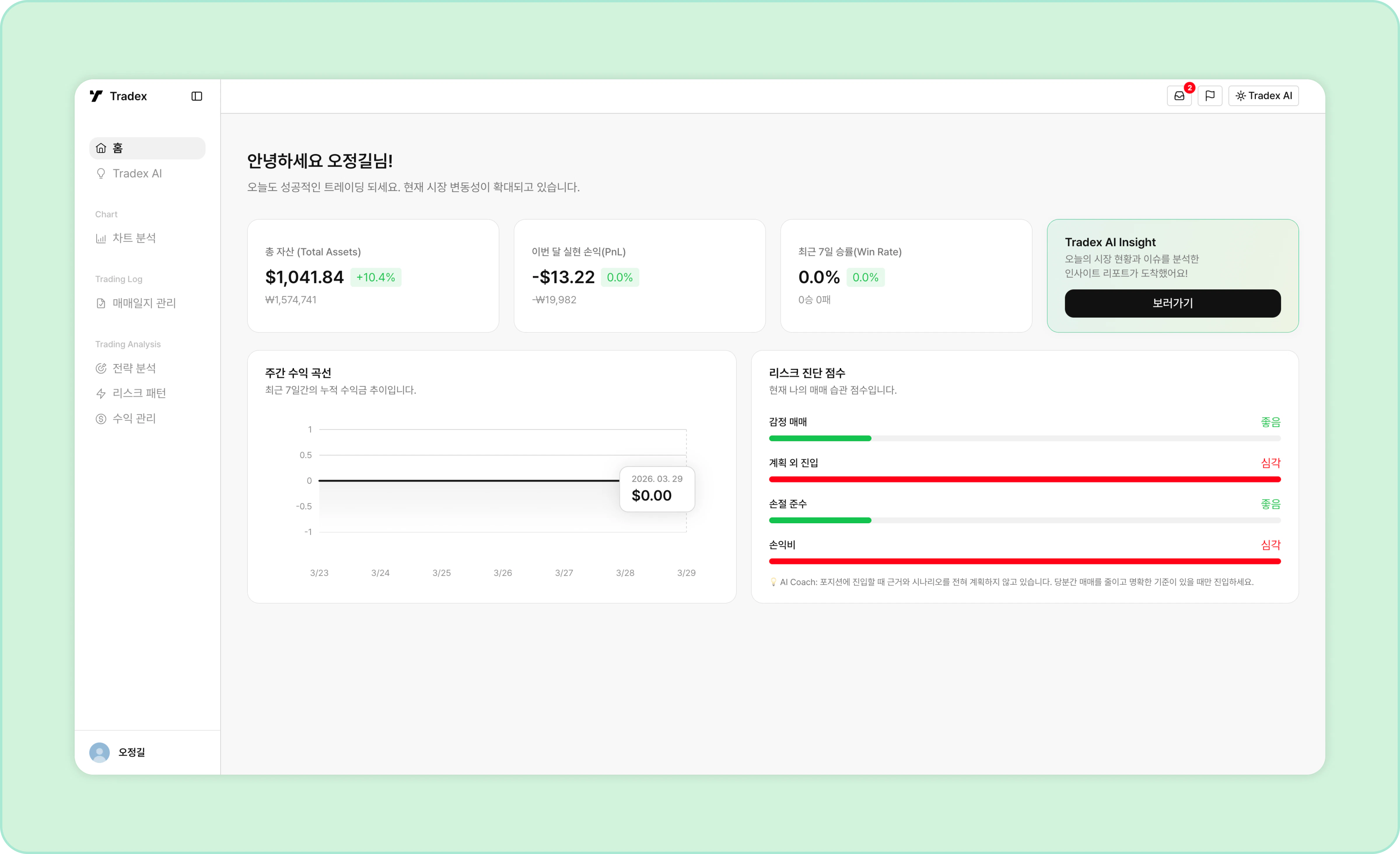 * **Total assets**: Total asset value across your connected exchanges and its rate of change.
* **This month's realized PnL**: Realized profit and loss from this month's trades, and the change compared to last month.
* **7-day win rate & weekly equity curve**: Your win rate over the last 7 days and the change compared to the previous week.
* **Risk score**: Analyzes your key risk pattern metrics and shows your current status.
***
## Inbox
The inbox is where you check your Tradex notifications.
* **Total assets**: Total asset value across your connected exchanges and its rate of change.
* **This month's realized PnL**: Realized profit and loss from this month's trades, and the change compared to last month.
* **7-day win rate & weekly equity curve**: Your win rate over the last 7 days and the change compared to the previous week.
* **Risk score**: Analyzes your key risk pattern metrics and shows your current status.
***
## Inbox
The inbox is where you check your Tradex notifications.
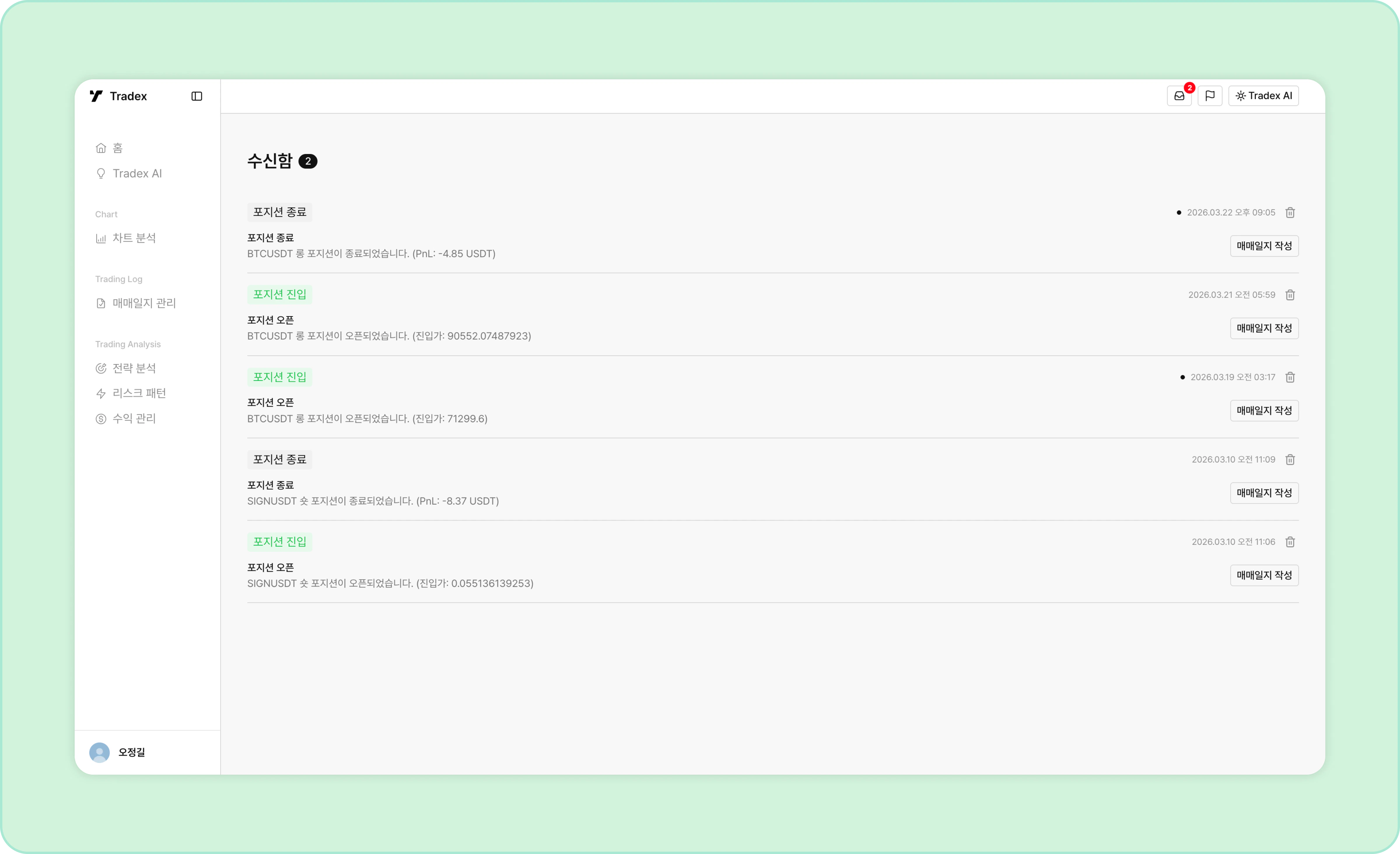 * Unread notifications are marked with a dot.
* Click a notification to jump straight to the related journal entry or analysis screen.
* Unread notifications are marked with a dot.
* Click a notification to jump straight to the related journal entry or analysis screen.