> ## Documentation Index
> Fetch the complete documentation index at: https://docs.tradex.so/llms.txt
> Use this file to discover all available pages before exploring further.
# Chart Tools & Library
> Analyze the market with official TradingView chart tools and libraries.
***
## Advanced Chart Tools & Library
Real-time market data and professional chart tools.
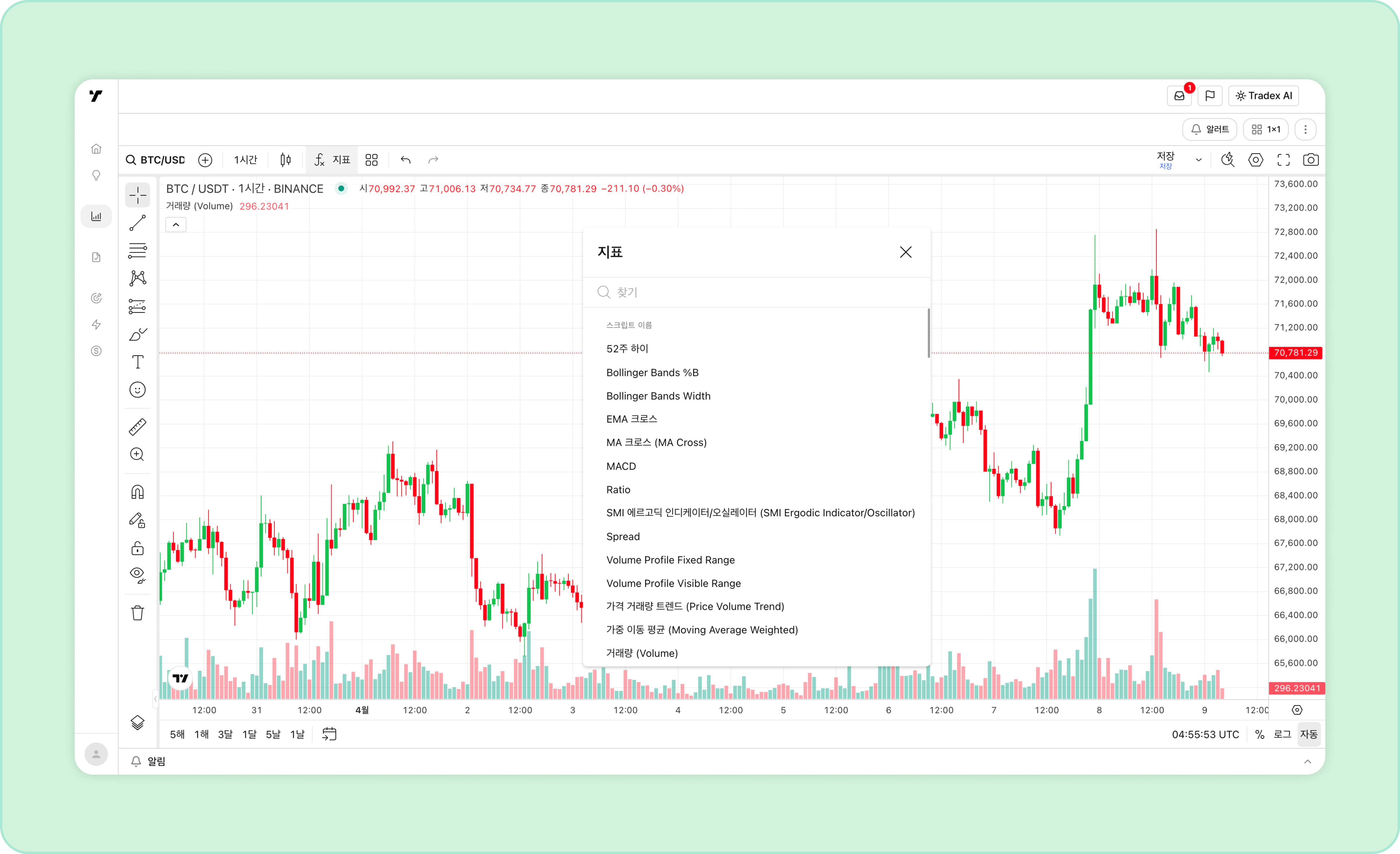 * **110+ smart drawing tools**: Add geometric shapes to highlight important spots on your chart, run measurements and projections, or use comments, tables, and emojis.
* **400+ indicators & strategies**: Indicators visualize trading and financial statistics such as price levels, volume, and financial ratios.
* **Multi-timeframe**: Charts from 1-minute candles up to monthly candles.
***
## Chart Library
Save and load chart layouts and more.
* **110+ smart drawing tools**: Add geometric shapes to highlight important spots on your chart, run measurements and projections, or use comments, tables, and emojis.
* **400+ indicators & strategies**: Indicators visualize trading and financial statistics such as price levels, volume, and financial ratios.
* **Multi-timeframe**: Charts from 1-minute candles up to monthly candles.
***
## Chart Library
Save and load chart layouts and more.
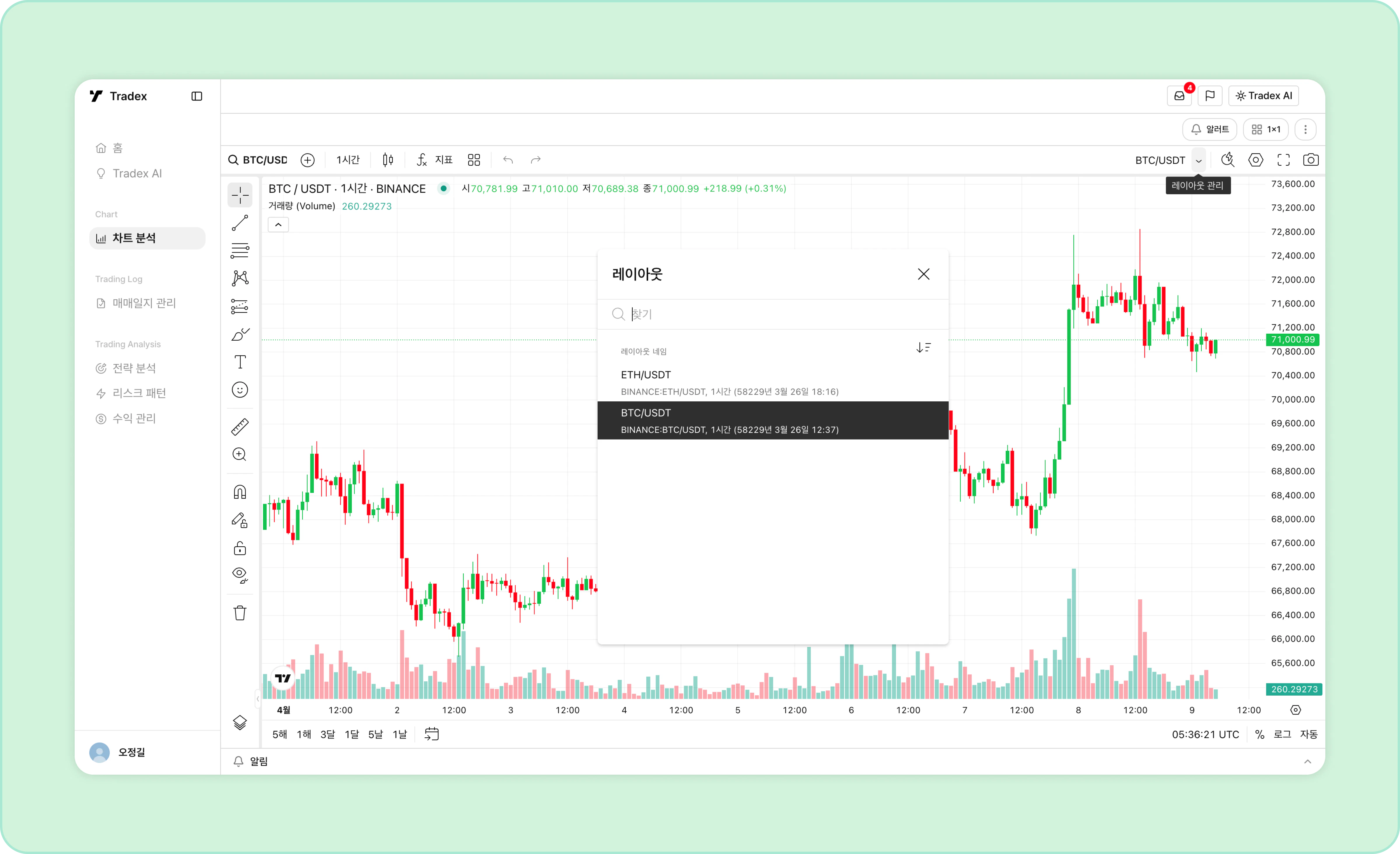 * Click Save at the top right of the chart to save everything, including your drawings and indicators.
* Click the toggle next to the layout name to browse and load saved layouts.
***
## Trading Alert System
Price alerts, technical alerts, and multi-condition alerts.
* Click Save at the top right of the chart to save everything, including your drawings and indicators.
* Click the toggle next to the layout name to browse and load saved layouts.
***
## Trading Alert System
Price alerts, technical alerts, and multi-condition alerts.
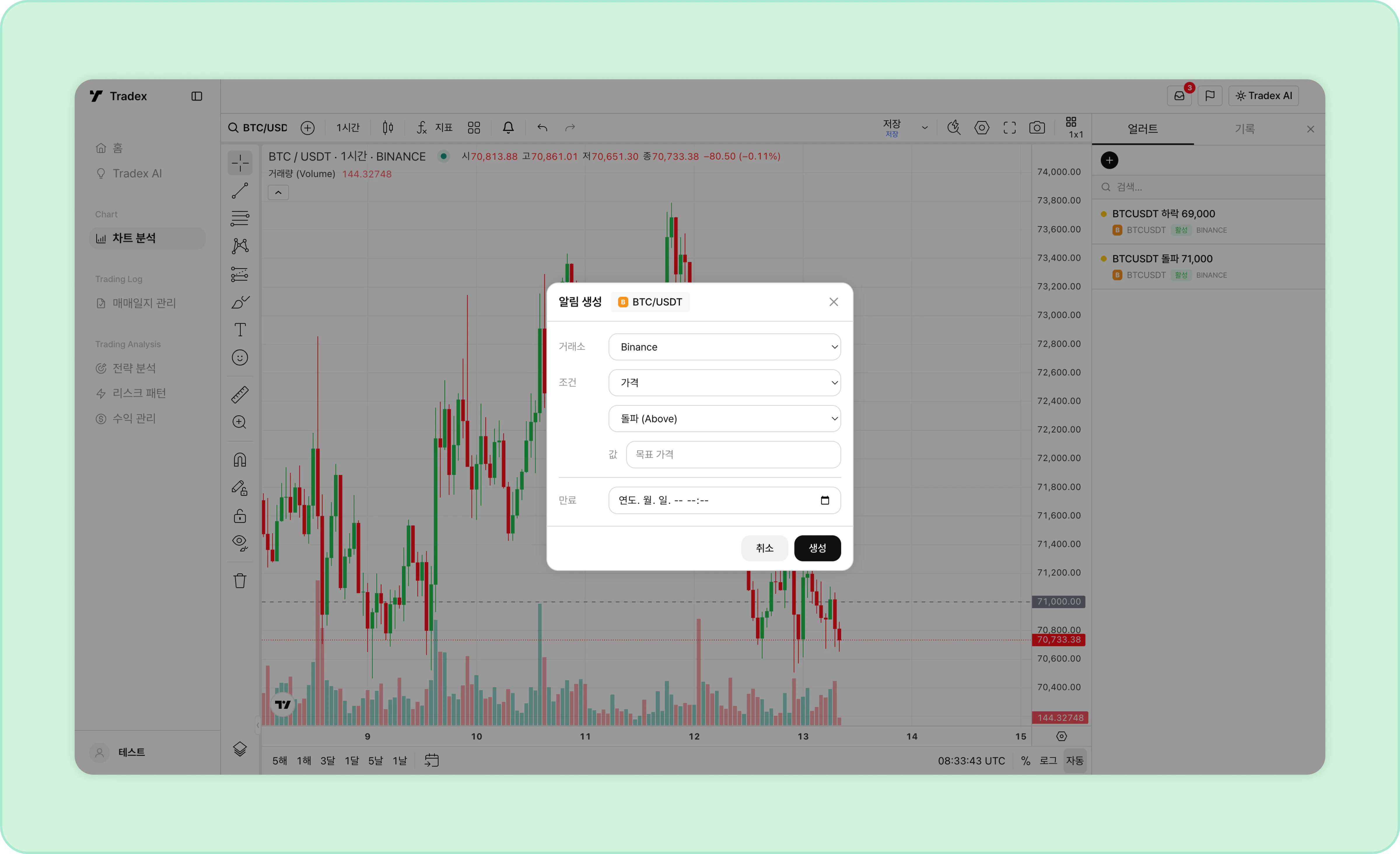 * **Create alerts**: Click the icon at the top or right-click on the chart to set an alert.
* **Edit alerts**: Edit configured alerts from the alert list on the right.
***
## Save & Share Charts
Save your chart analysis as an image or attach it to a journal entry.
* **Create alerts**: Click the icon at the top or right-click on the chart to set an alert.
* **Edit alerts**: Edit configured alerts from the alert list on the right.
***
## Save & Share Charts
Save your chart analysis as an image or attach it to a journal entry.